Introduction
AI technology is advancing rapidly, with Gemini releasing version 3.1 and GPT updating to 5.4 last month. However, many users find it challenging to subscribe.
As a credit card enthusiast, I have researched how domestic credit cards can not only subscribe to GPT and Gemini but also participate in overseas cashback programs, which I have personally tested.
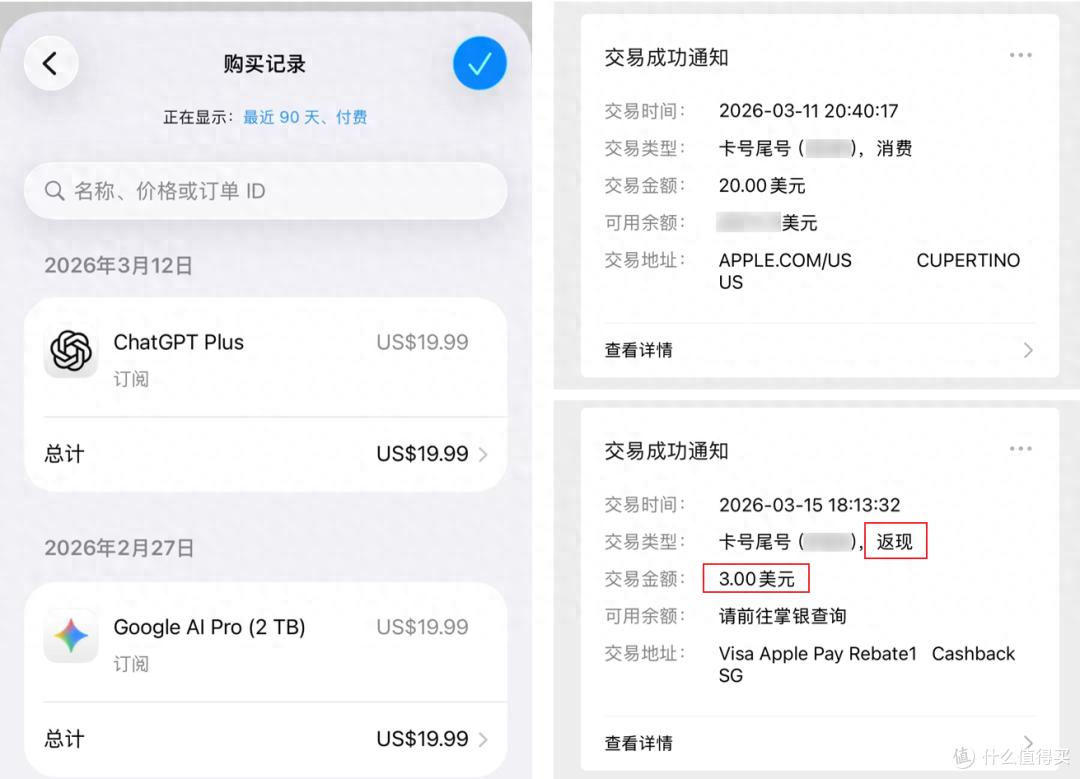
Apple Pay Recharge
Since the beginning of this year, domestic VISA cards have supported binding with Apple Pay, making everything much simpler. This month, Mastercard will also start binding, which is undoubtedly great news!
The principle is to purchase gift cards from the US App Store and then use them to buy applications, which is much more reliable than online recharge services or e-commerce purchases. Here are two methods I provide.
Method 1: Using Apple Pay
-
Open your mobile browser and go to the US Apple website https://www.apple.com. Scroll to the bottom, select “Shop and Learn,” and then click on “Gift Cards.”
-
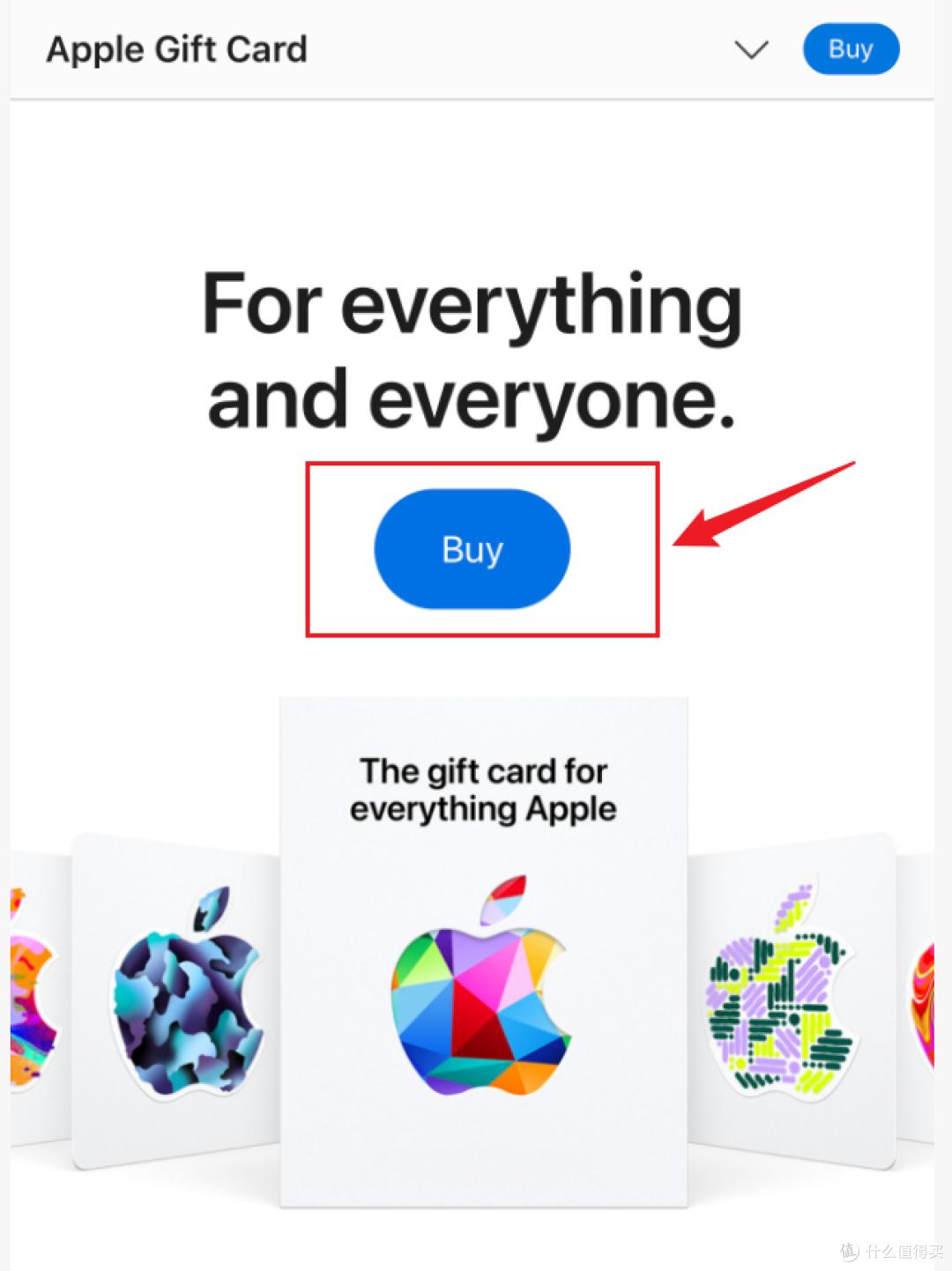
Choose “Buy”.
-
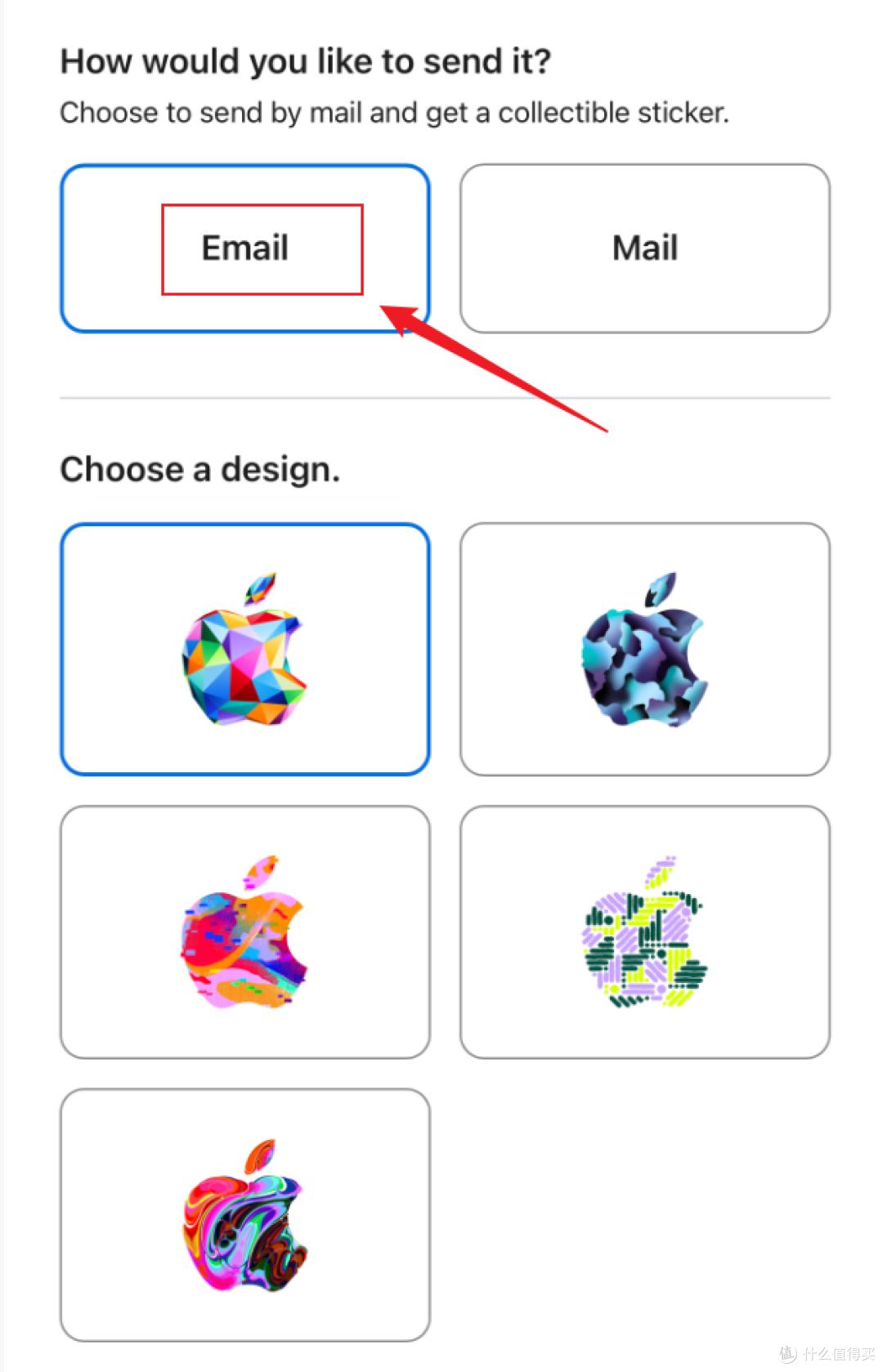
Select “Email” for delivery.
-
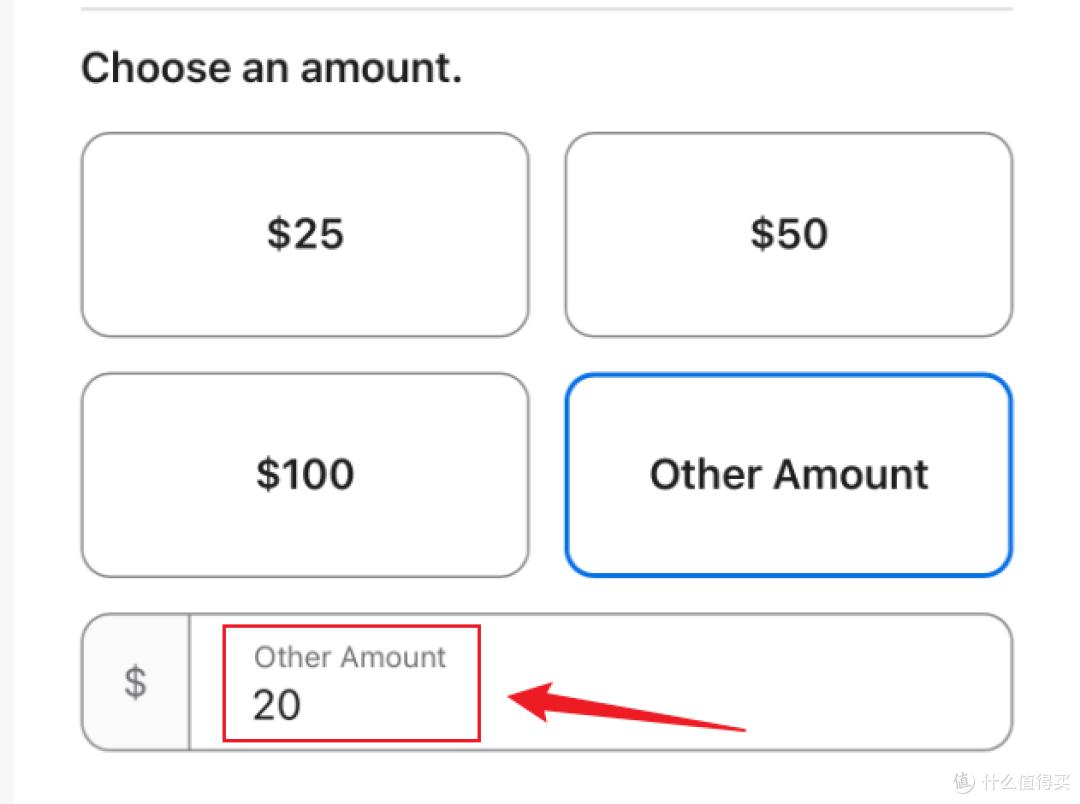
Choose “Other Amount” and enter 20.
-
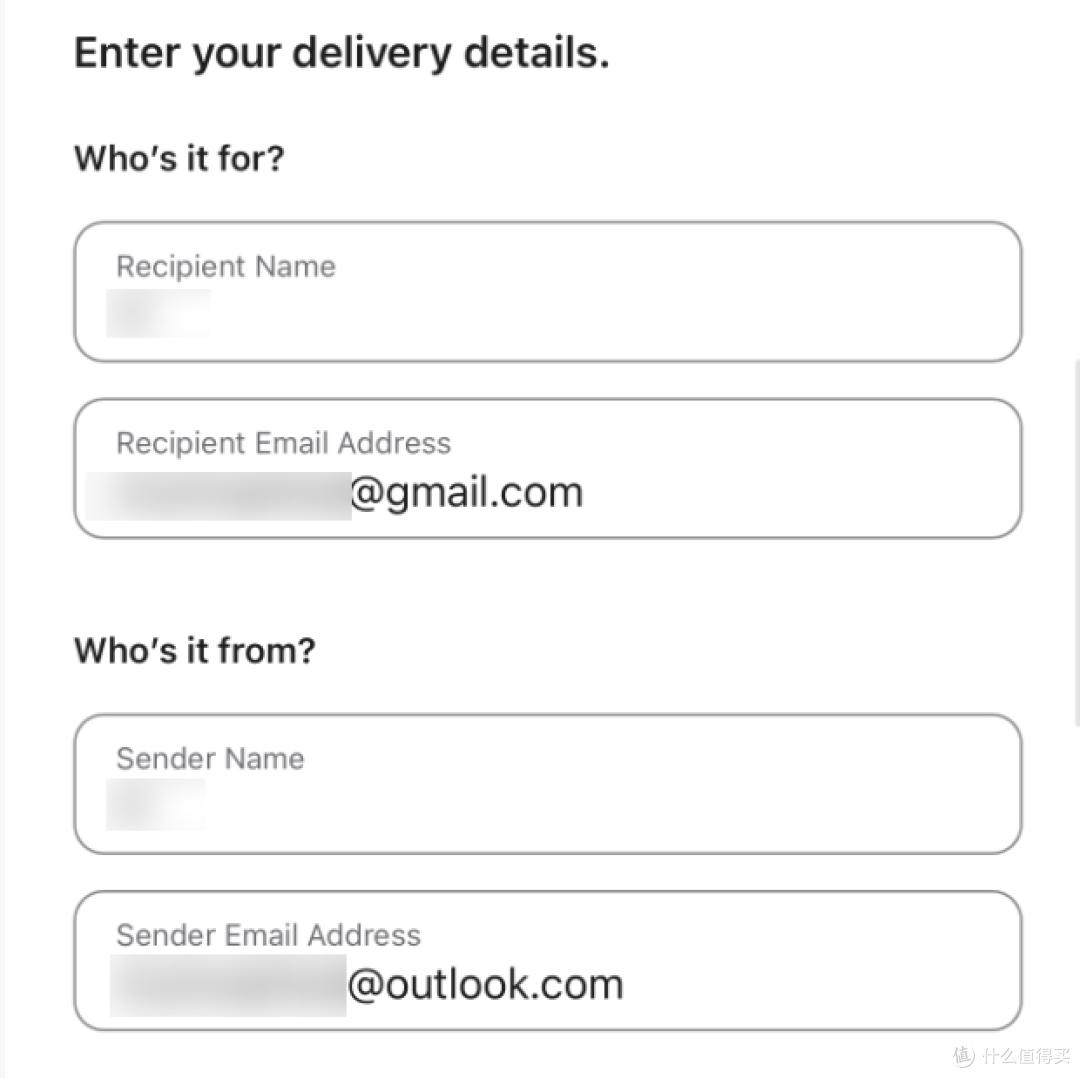
Fill in the recipient’s email, preferably using Gmail or Outlook.
-
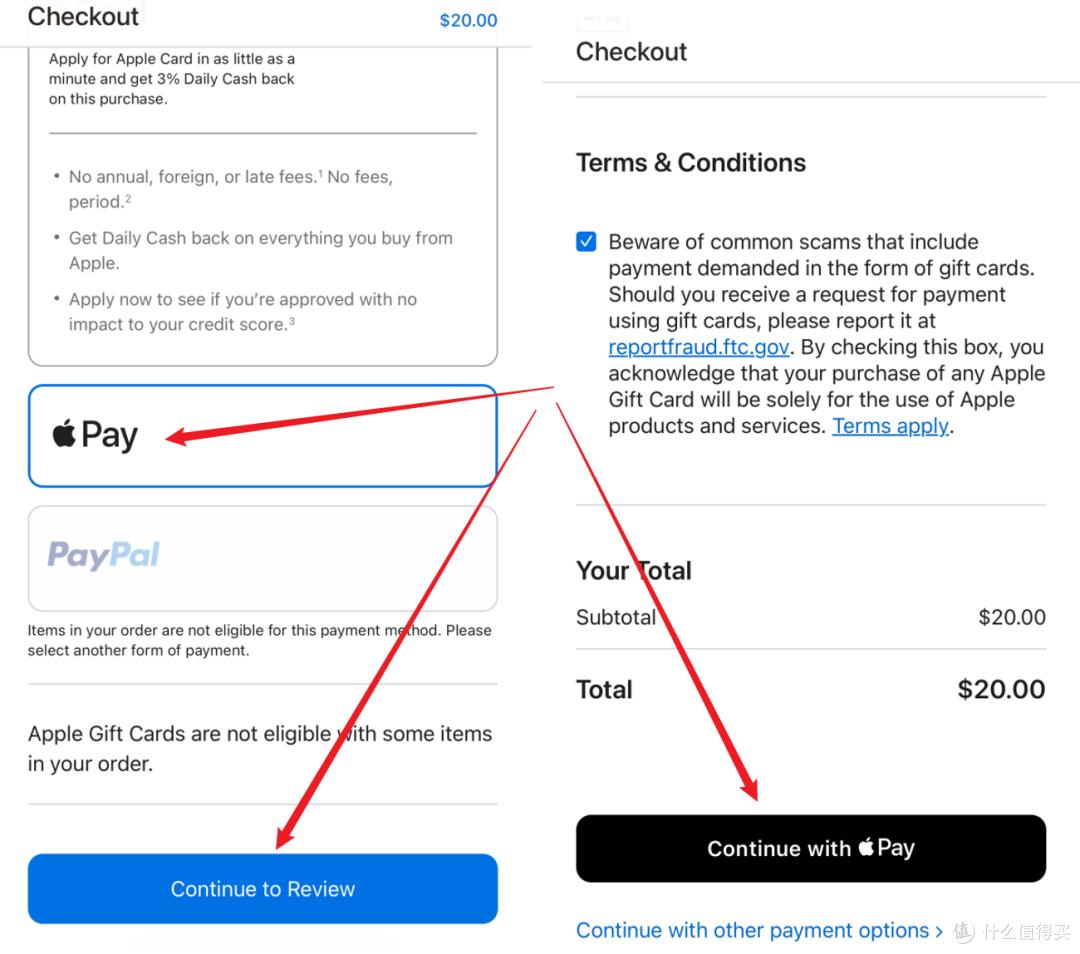
Add to bag and select Apple Pay for payment. Click “Continue to Review”.
-
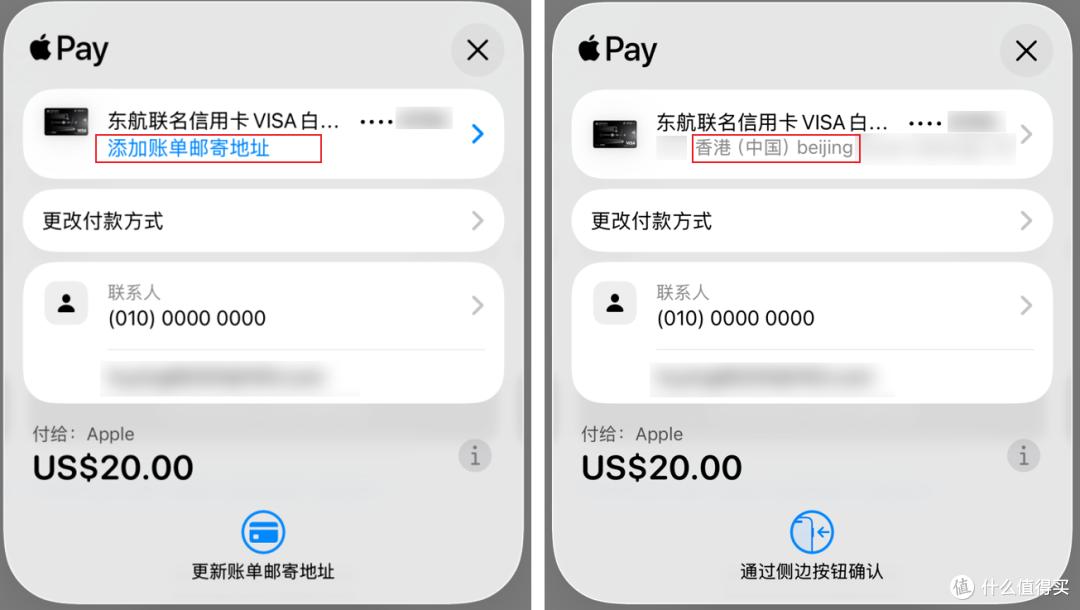
Apple Pay will prompt you to add a billing address. Choose a region outside mainland China and fill in a random English address.
-
Once you see the message “Your order has been placed,” the payment is complete.
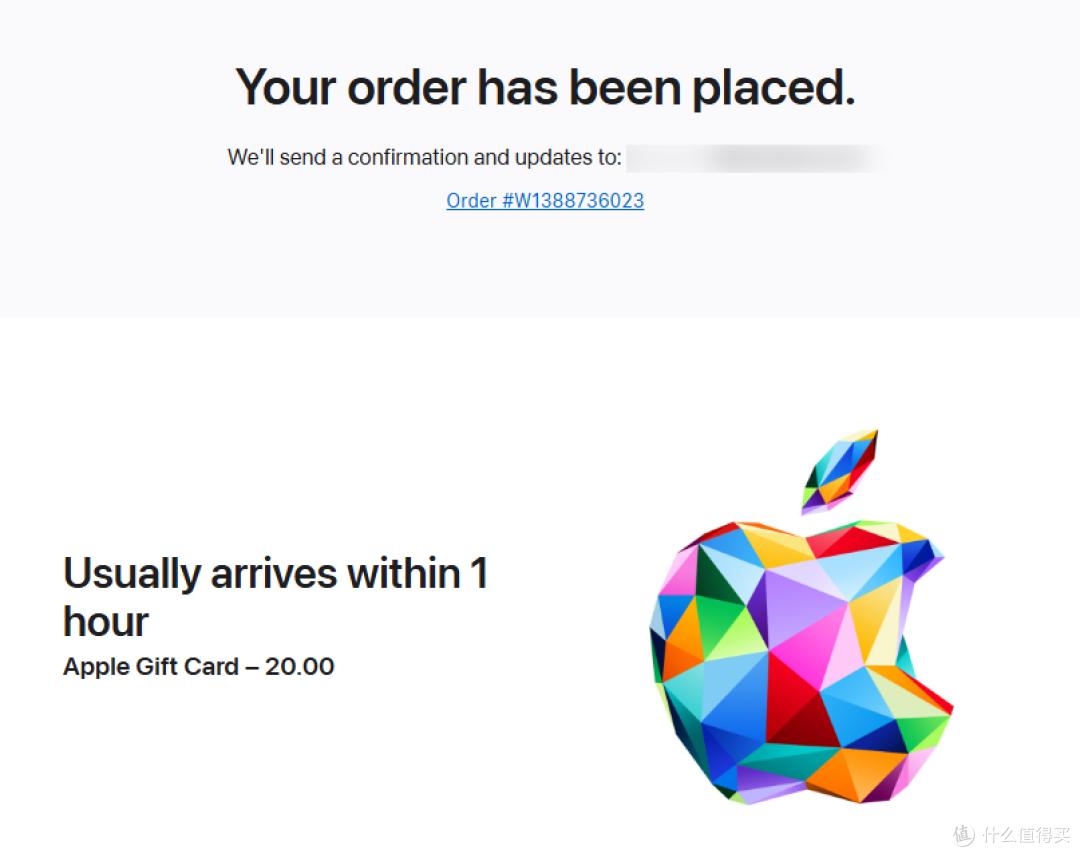
The redemption code will be sent to your email within an hour; I received mine in under 10 minutes.
-
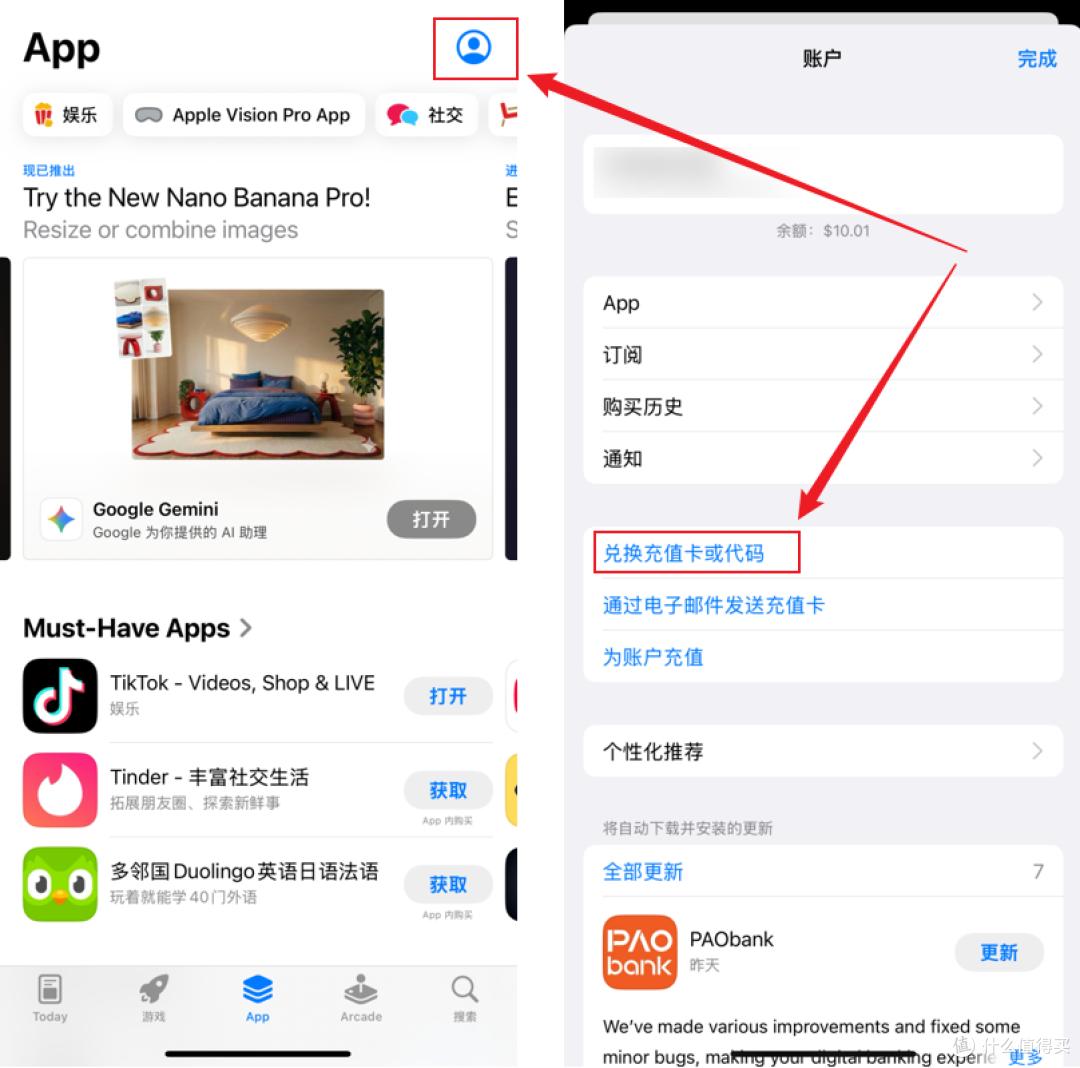
Copy the redemption code, open the App Store, log in with your US ID, click on your profile in the upper right corner, and select “Redeem Gift Card.”
-
Paste the redemption code to complete the recharge, and then enjoy!
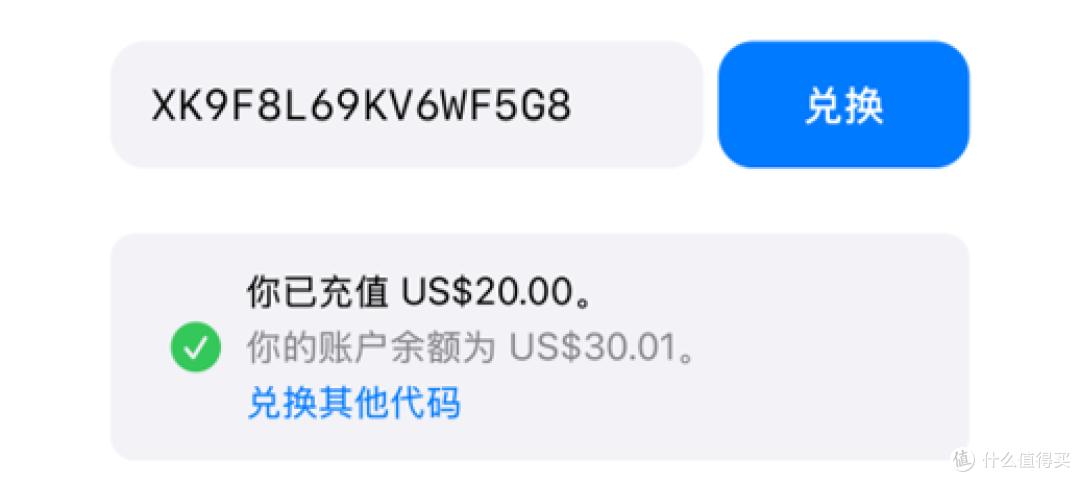
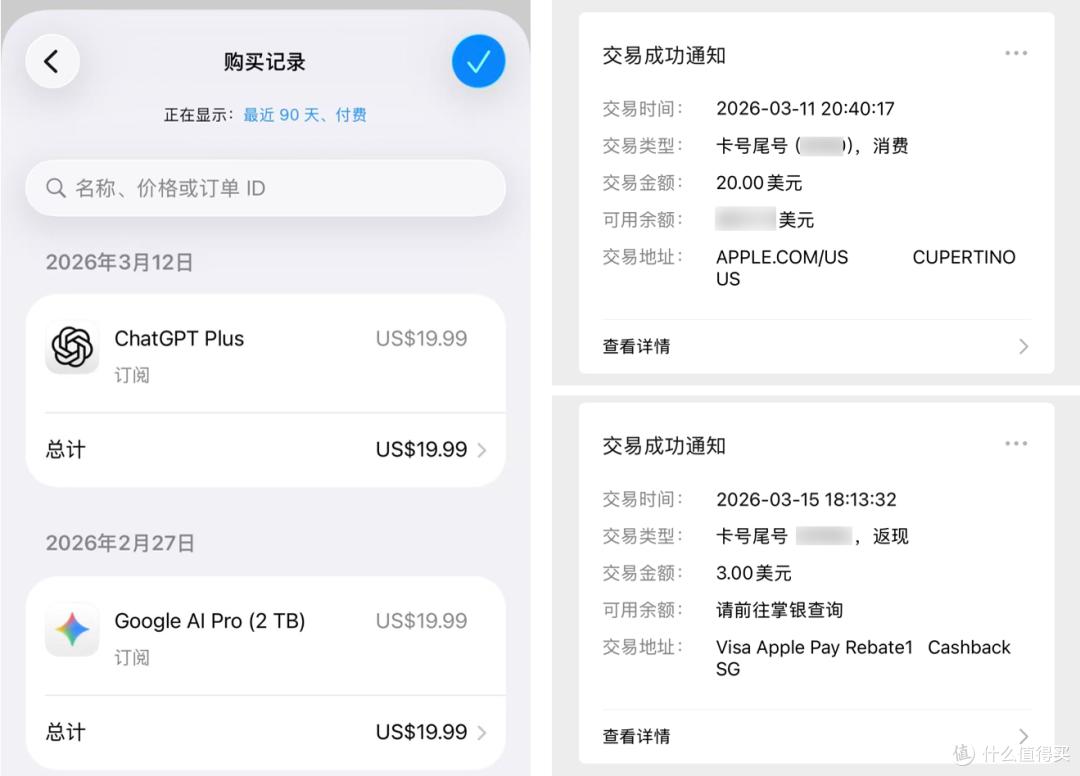
I used a Agricultural Bank of China Eastern Airlines VISA card, which also accumulates cashback on overseas spending.
Web Version Recharge
The process is similar to the mobile version, so I won’t repeat it. Find “Gift Cards,” click “Buy,” select “Email,” enter the amount, add to bag, fill in your email, and choose “Checkout.”
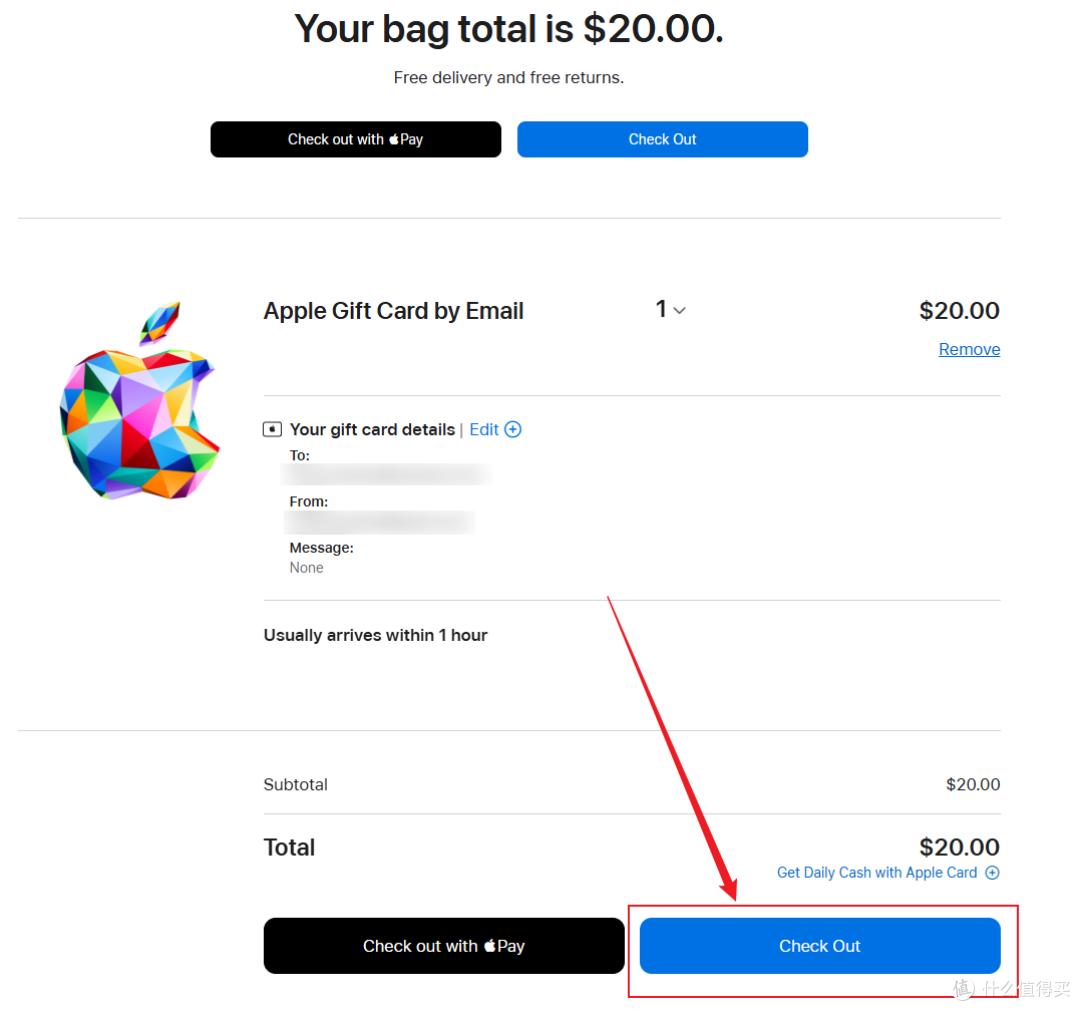
The key difference comes next: choose “Continue as Guest” to make a purchase.
Select “Credit or Debit Card,” which supports domestic VISA, Mastercard, and American Express, allowing you to earn overseas cashback as well.
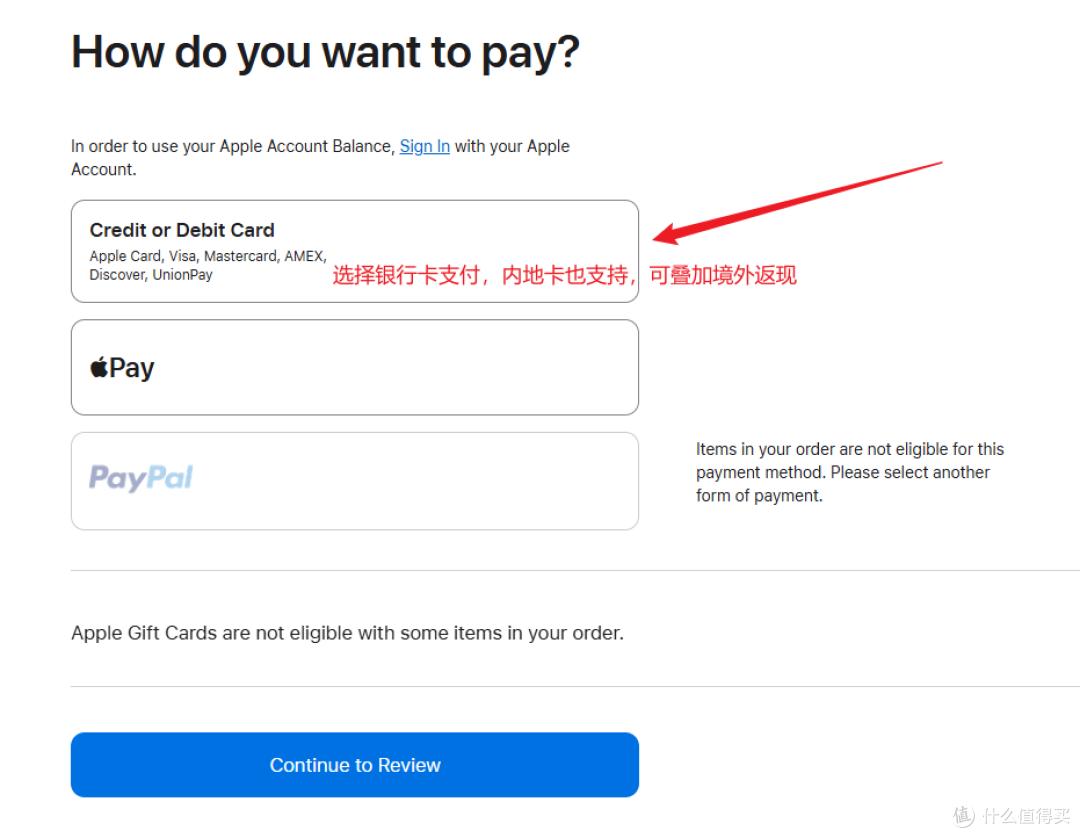
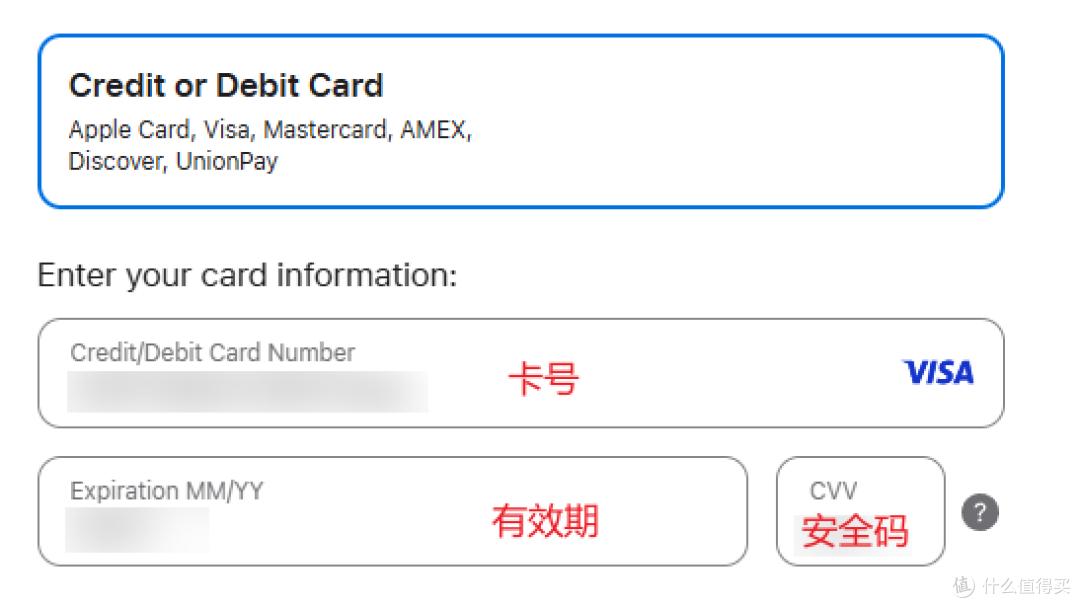
- Enter your card number, expiration date, and security code.
- Fill in the address. Since we chose email delivery, it won’t be mailed to you.
Choose a tax-free state; I selected Anchorage, Alaska, simply due to its historical significance.
Five Tax-Free States:
- Oregon
- Delaware
- Montana
- New Hampshire
- Alaska
You can find postal codes, streets, and phone numbers using Google Maps; I used Gemini to generate mine.
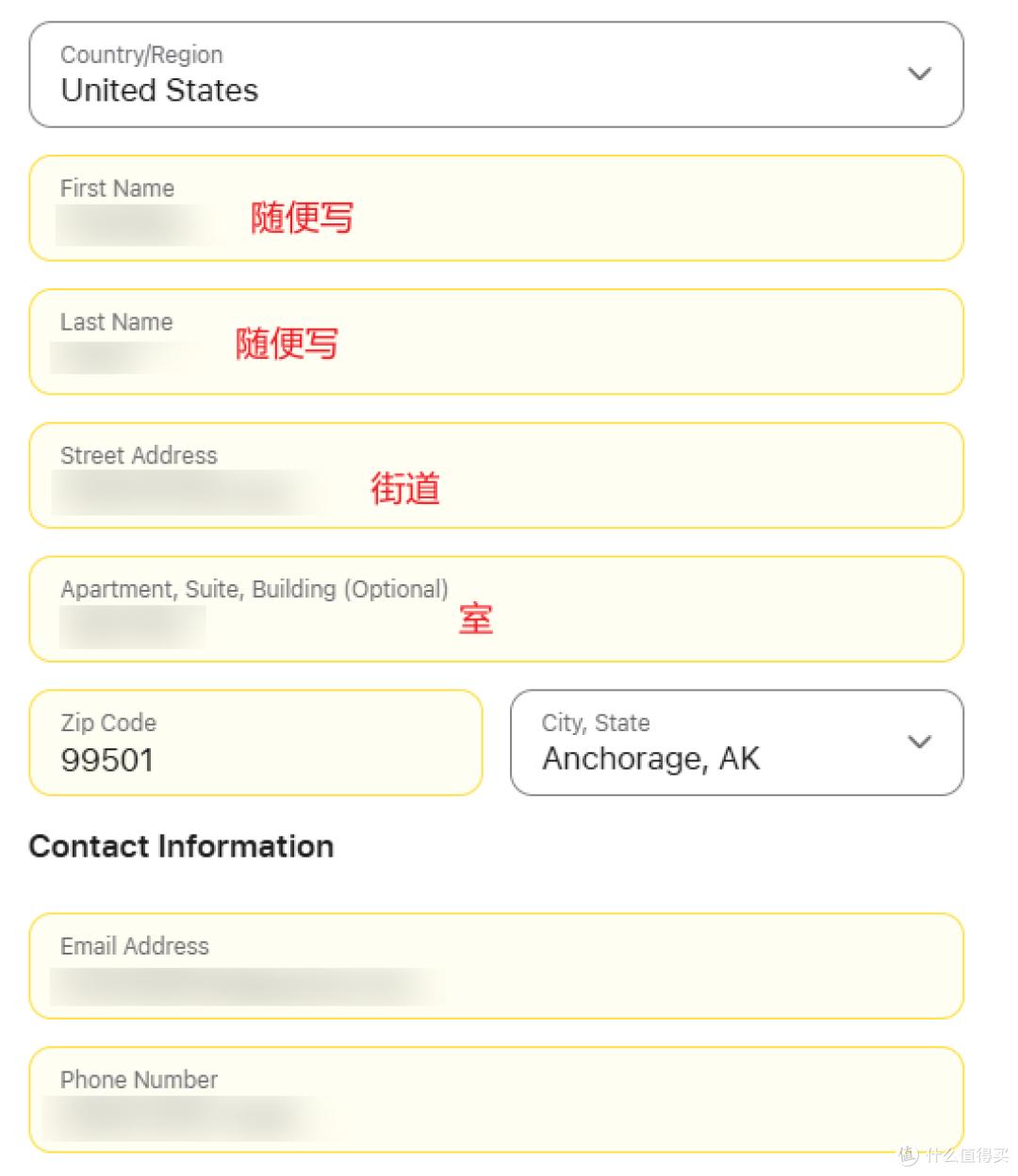
Make sure to enter the correct email, as the redemption code will be sent there. You can also use AI to generate a phone number.
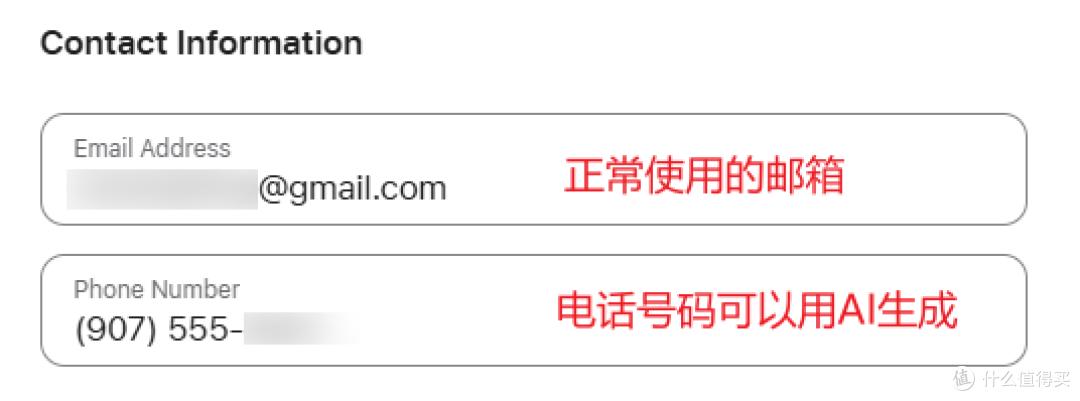
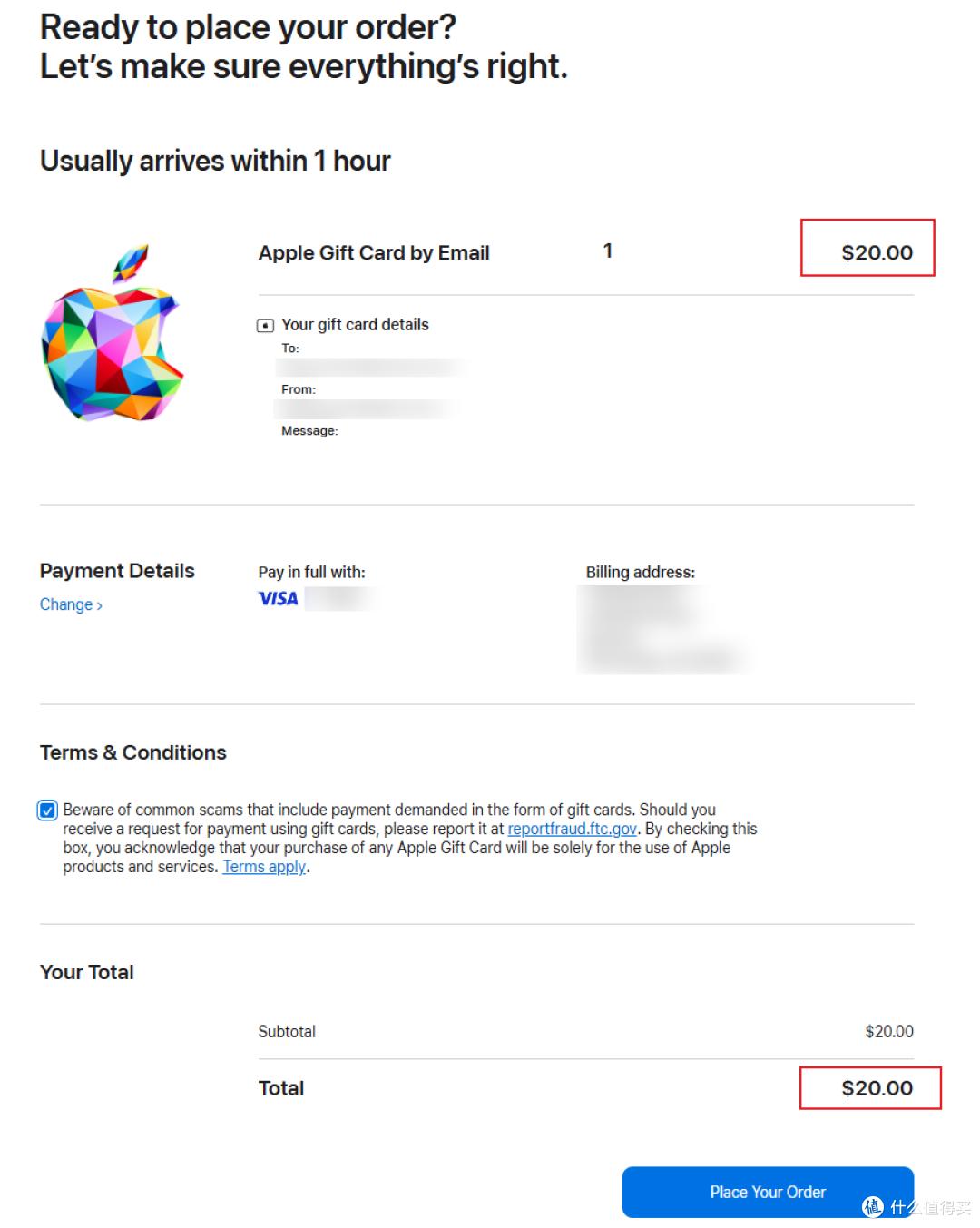
Finally, verify the amount, email, card number, and other details. If everything is correct, you can submit your order for payment.
I am Lao Hu, and I will continue to share tips and strategies for using credit cards. Feel free to follow for more updates!
Comments
Discussion is powered by Giscus (GitHub Discussions). Add
repo,repoID,category, andcategoryIDunder[params.comments.giscus]inhugo.tomlusing the values from the Giscus setup tool.